Set Up Your TWAP Strategy
Step 1: Tap Trade at the bottom of the Bybit App to enter the respective trading page. Then, switch the Order Type to TWAP.
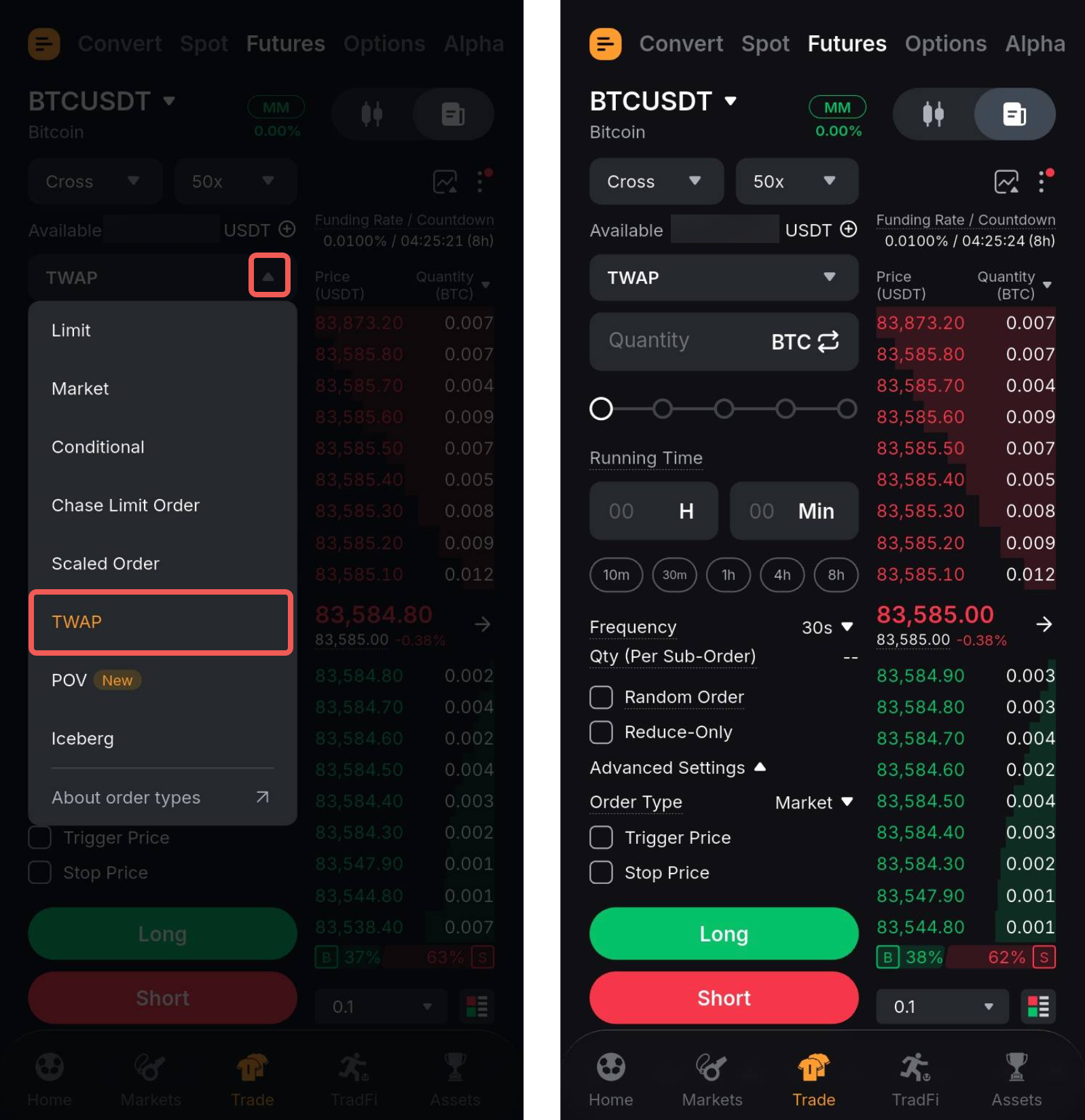
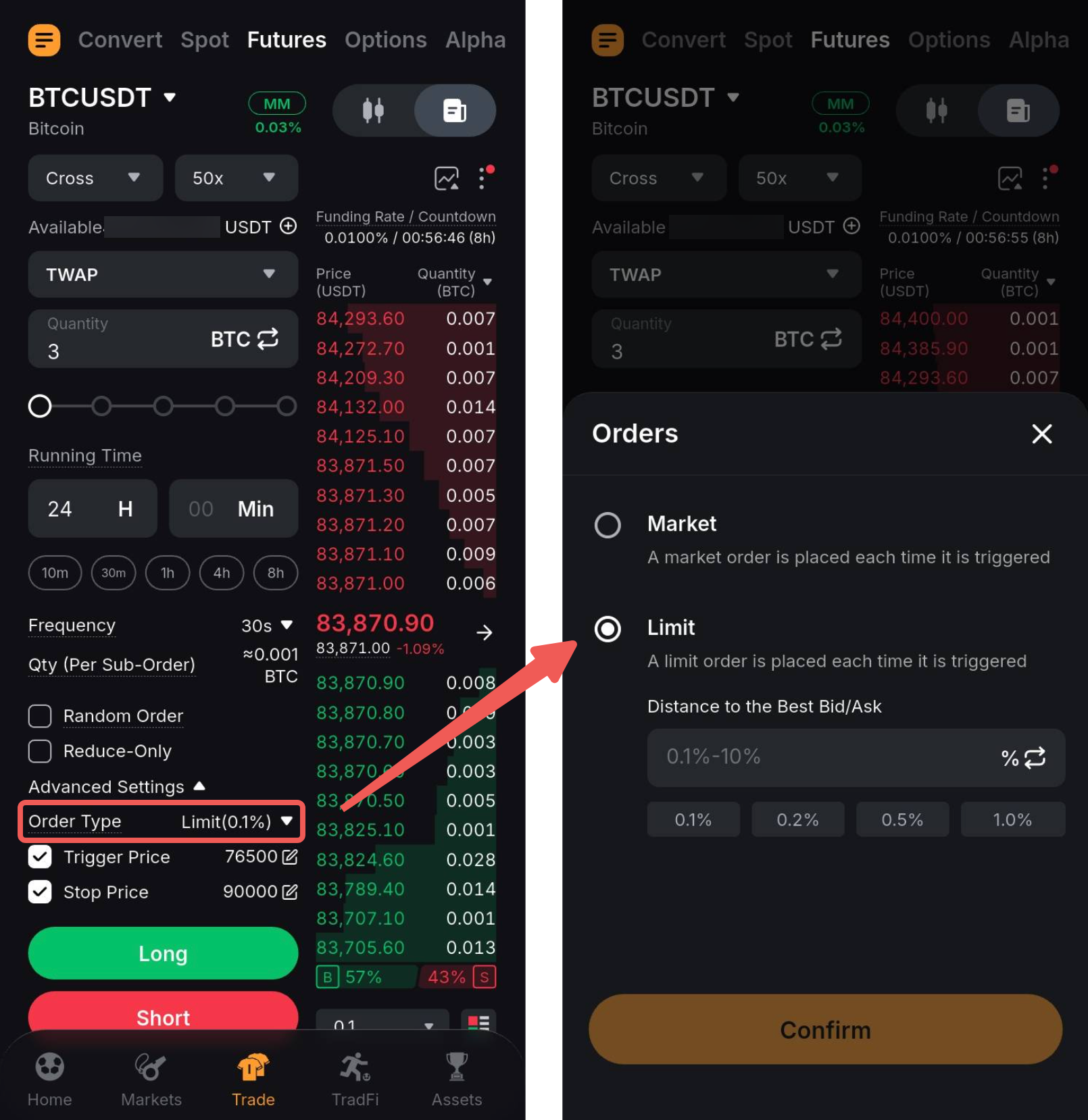
Step 2: Create your TWAP order by filling in the parameters.
You can also set advanced parameters, such as Distance to the Best Bid/Ask, Trigger Price, and Stop Price, via the Advanced Settings dropdown menu.
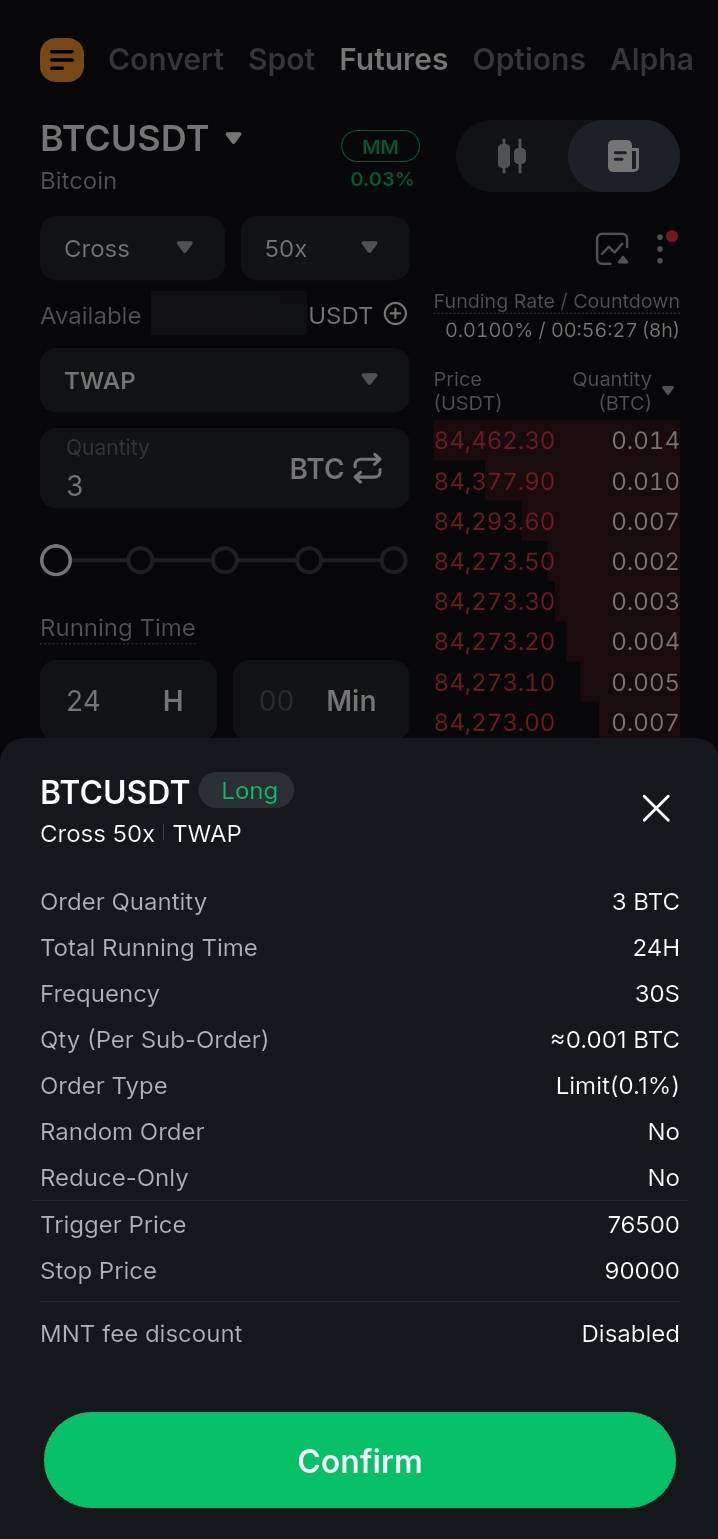
Step 3: Ensure all the information you entered is correct and hit Confirm.
Terminate Your TWAP Strategy
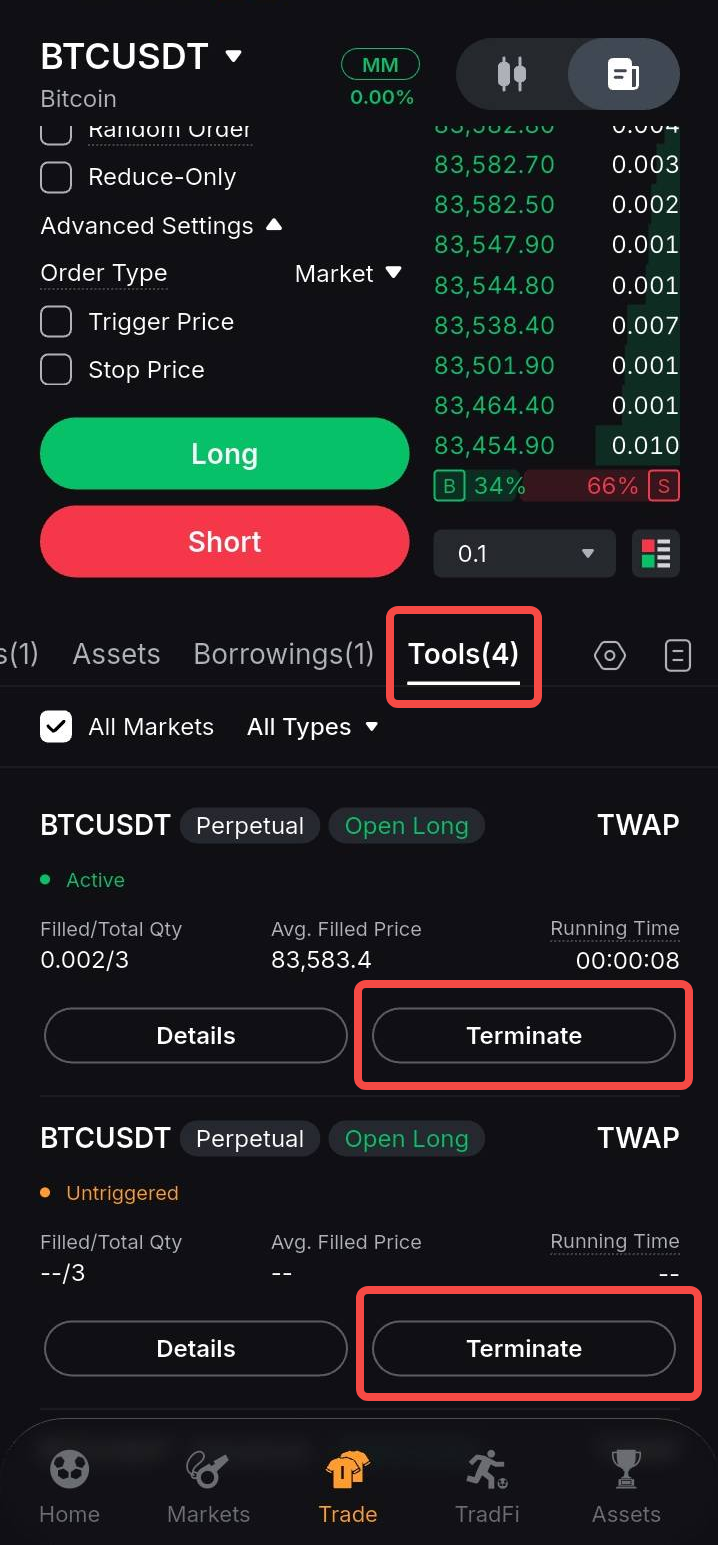
In the order panel, go to Tools to view the details of the strategy, including Filled Size/Total, Avg. Filled Price, Price Limit and more. To terminate your TWAP strategy, tap Terminate in the relevant strategy card.
View Your Order History
You can view your order history in the following ways:
From Order Panel
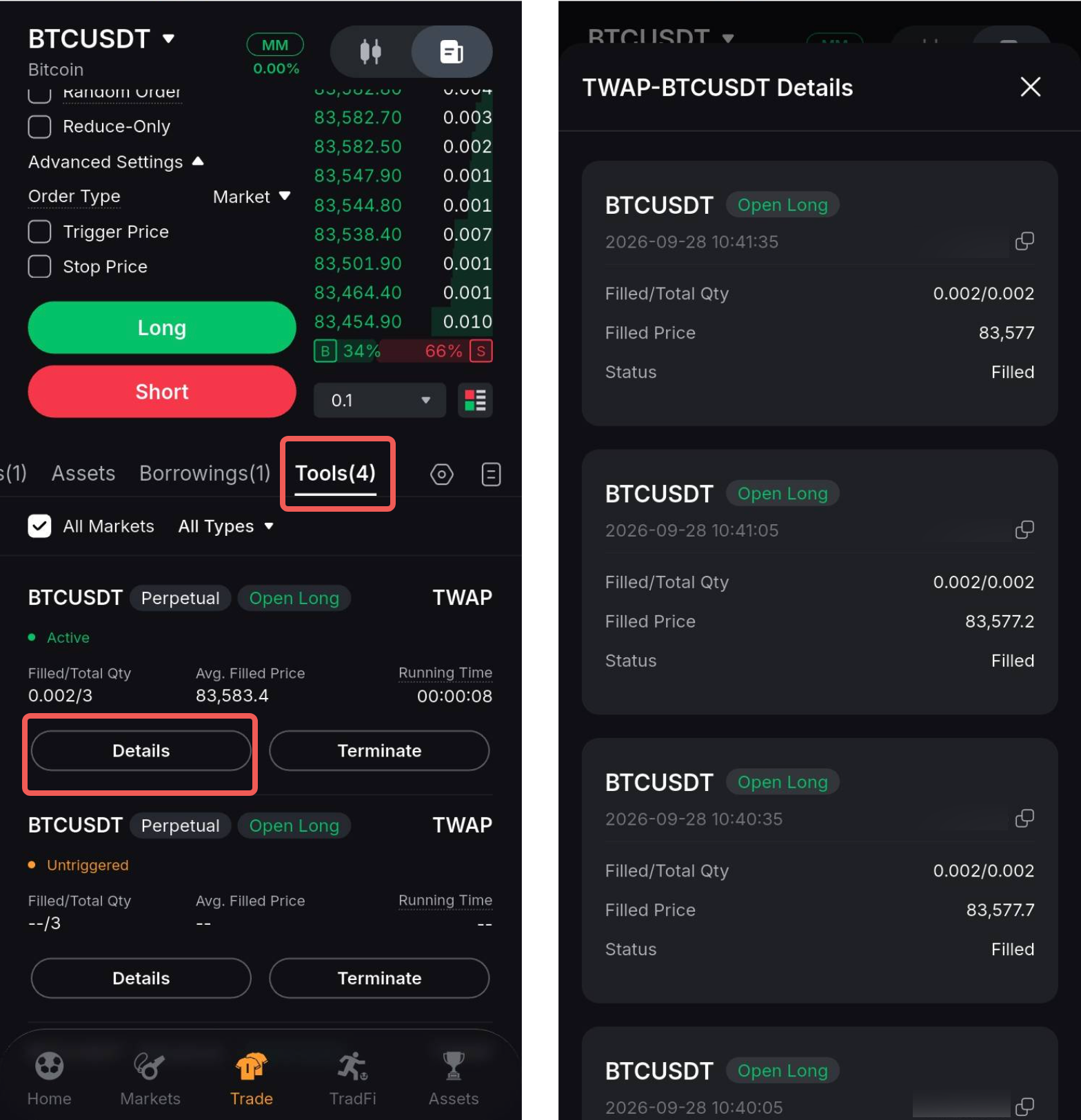
To view details of your filled sub-orders, go to Tools and tap Details in the relevant TWAP strategy.
From All Orders Page
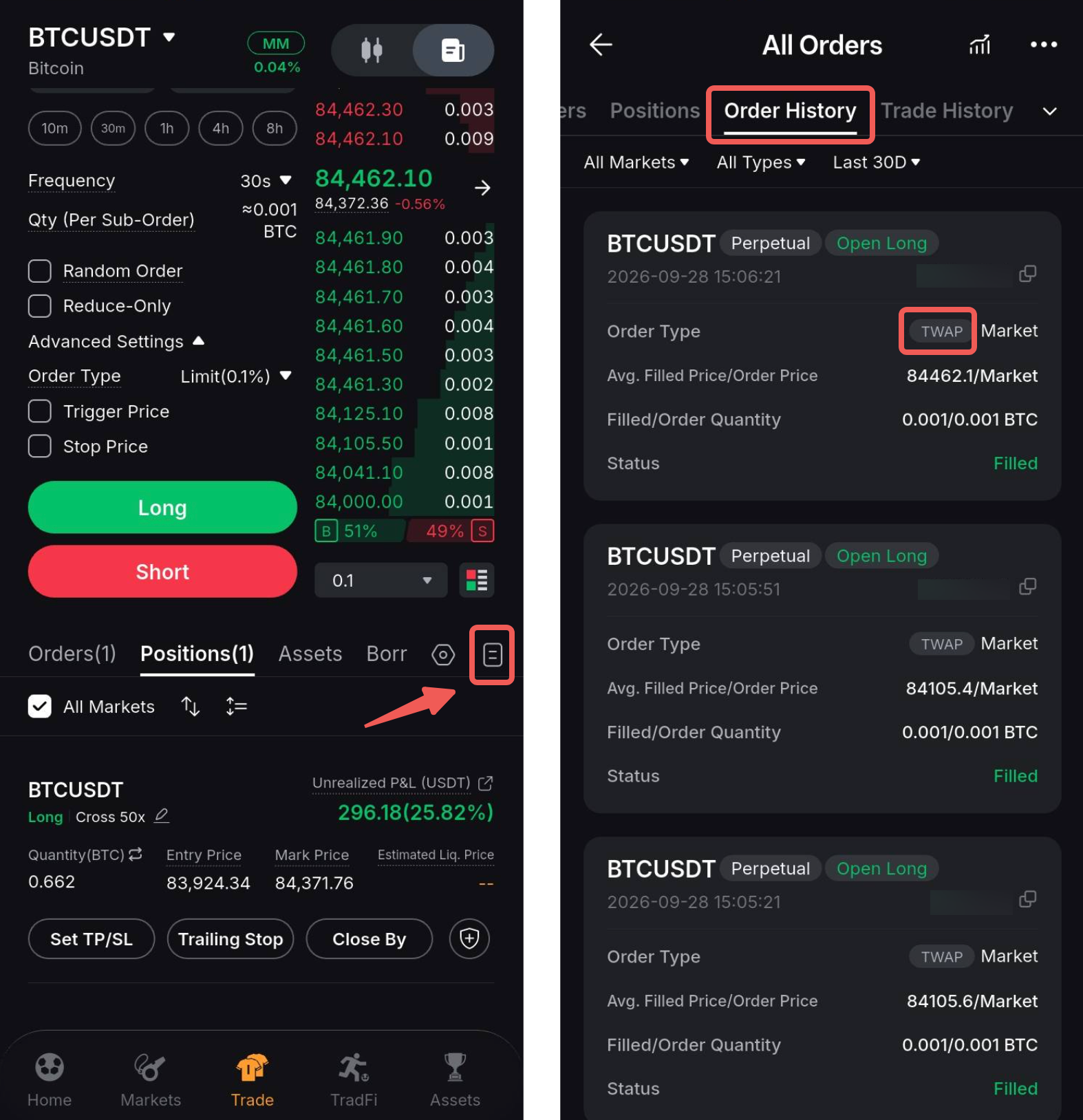
To view your active and untriggered TWAP strategies, tap the History icon → Tools, and filter the order type to TWAP.
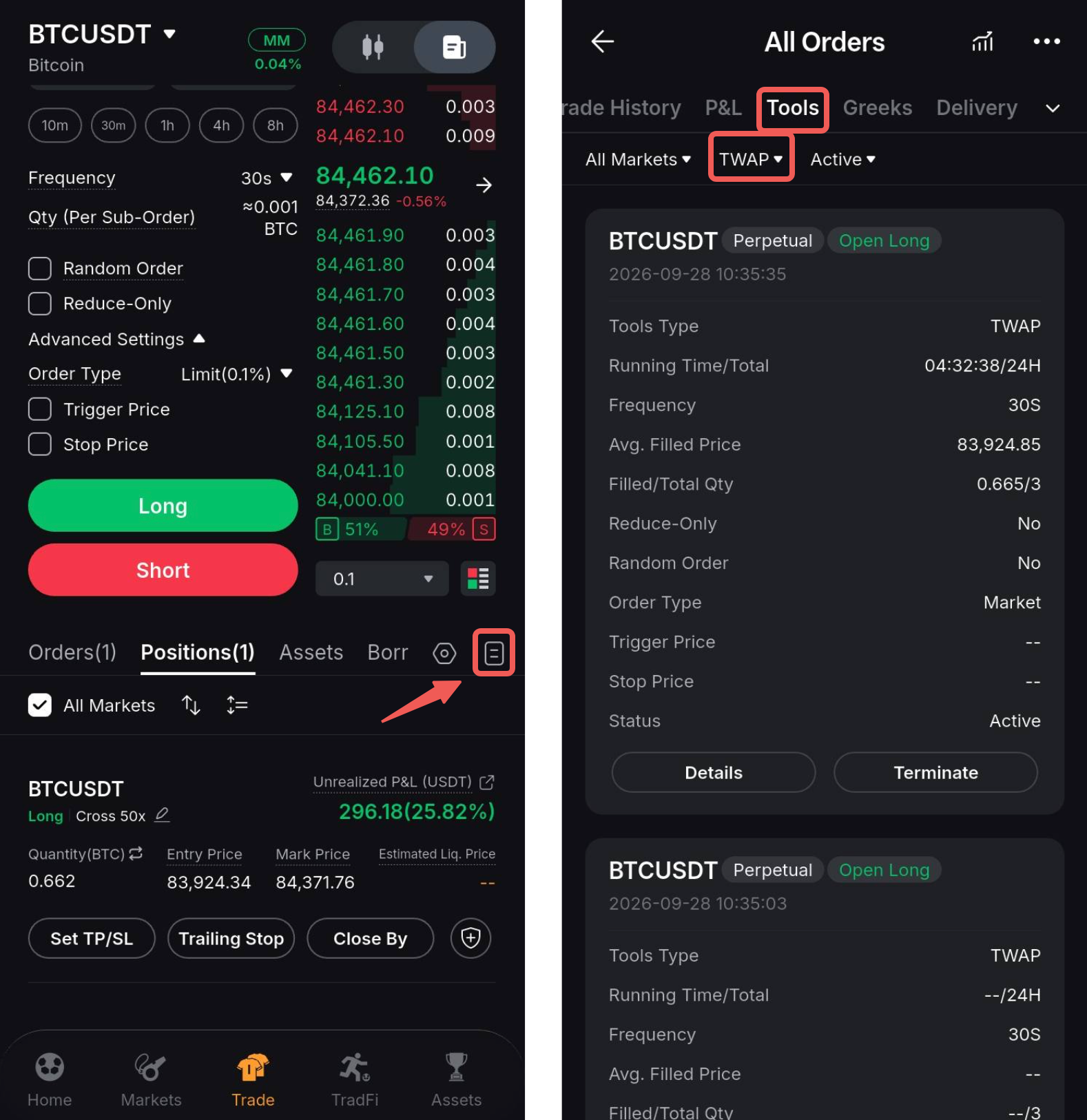
To view details of your filled sub-orders on the All Orders page, simply open the Order History tab. Orders placed using the TWAP strategy can be identified with the TWAP label.